


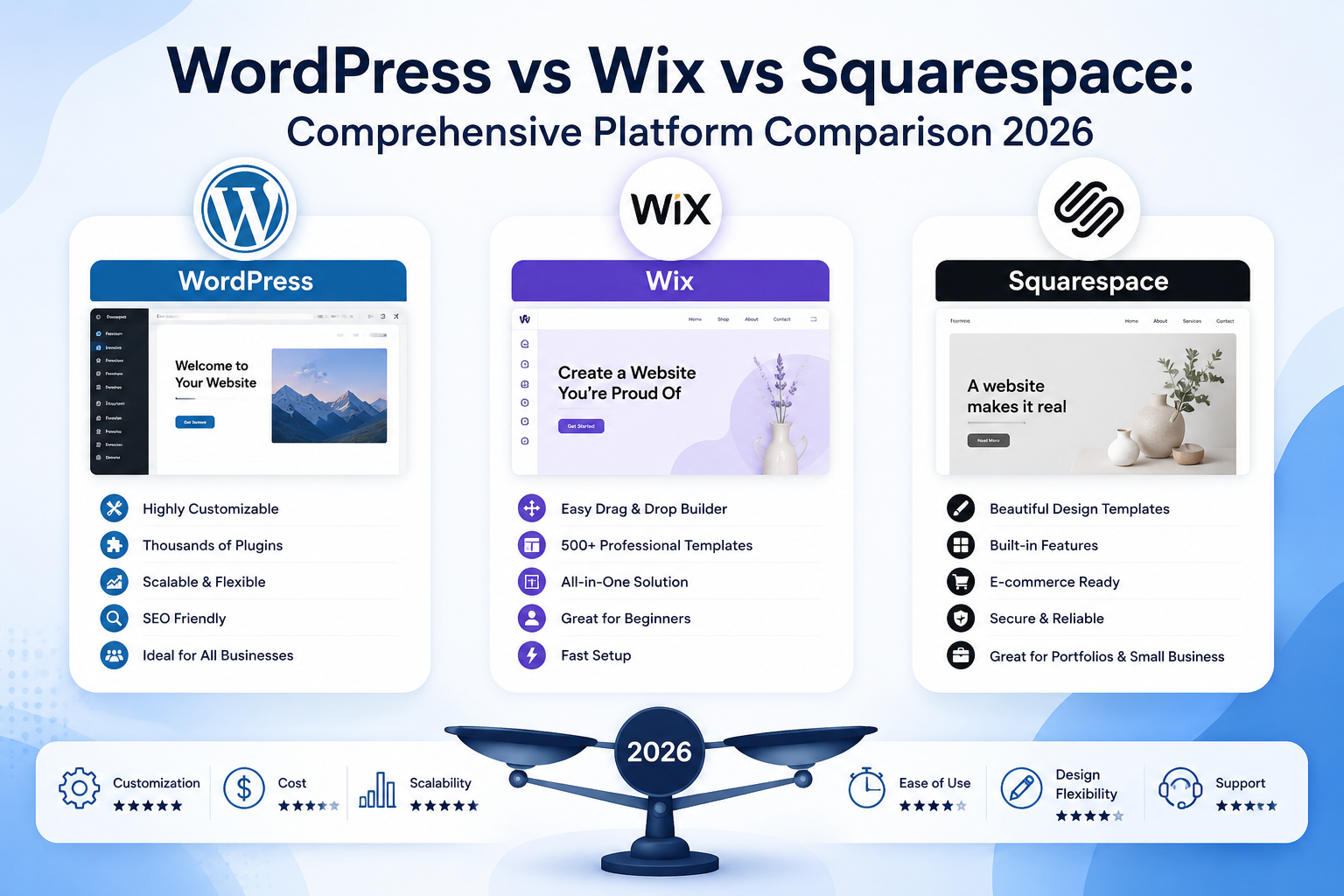
Picking your website platform feels like a small decision at first — until you’re six months in, frustrated by limitations you didn’t see coming. The WordPress vs Wix vs Squarespace debate isn’t about which platform is universally “best” — it’s about which one actually fits your business, your budget, and your growth plans.
Small business owners, freelancers, and e-commerce entrepreneurs all have genuinely different needs, and each of these three platforms was built with different priorities in mind.
This comprehensive comparison breaks down pricing, SEO capability, ease of use, and scalability across all three platforms, so you can choose with confidence rather than guesswork.
Understanding the Core Philosophy Behind Each Platform
Before comparing features, it helps to understand what each platform was actually designed to do. This context explains almost every practical difference you’ll encounter later in this WordPress vs Wix vs Squarespace comparison.
- WordPress — an open-source content management system offering maximum flexibility and control, requiring more hands-on setup
- Wix — a drag-and-drop website builder prioritizing ease of use and quick deployment
- Squarespace — a design-focused builder emphasizing polished templates and visual consistency out of the box
Each philosophy creates real trade-offs — flexibility versus simplicity, control versus convenience — that show up throughout every category below.
Best Website Builder 2026: How to Actually Define “Best”
Searching for the best website builder 2026 assumes there’s one universal winner, but the honest answer depends entirely on your specific priorities.
Questions That Determine Your Best Fit
- Do you need full design and functionality control, or prefer guided simplicity?
- Is your budget tight, or can you invest more for long-term flexibility?
- Will you need e-commerce, membership areas, or complex custom features?
- Do you have technical resources, or need something manageable without coding?
- How important is long-term SEO performance versus quick launch speed?
Answering these honestly before comparing platforms saves significant time — and prevents costly platform migrations down the road.
WordPress vs Wix Comparison: Flexibility vs. Simplicity
The WordPress vs Wix comparison essentially comes down to one core trade-off: how much control do you want, versus how much simplicity do you need?
WordPress Strengths
- Complete design and functionality control through thousands of plugins and themes
- No platform lock-in — you own your site and hosting entirely
- Superior long-term scalability for growing businesses
- Stronger SEO customization capability
Wix Strengths
- Faster setup with intuitive drag-and-drop editing
- All-in-one hosting and platform management, no technical maintenance required
- Built-in customer support directly from the platform
- Easier for complete beginners with zero technical background
Businesses planning significant long-term growth often lean toward WordPress, while those wanting a fast, simple launch frequently prefer Wix.
Wix vs Squarespace Comparison: Ease of Use vs. Design Polish
The Wix vs Squarespace comparison centers on a more subtle distinction — both are user-friendly, but they excel in different areas.
Wix Advantages
- More flexible drag-and-drop freedom for custom layouts
- Larger app marketplace for adding functionality
- Generally more budget-friendly entry-level plans
Squarespace Advantages
- More visually polished, professionally designed templates by default
- Stronger built-in blogging and content presentation tools
- Better suited for portfolio-style, image-heavy websites (photography, design, creative services)
Squarespace tends to appeal more to businesses prioritizing aesthetic consistency, while Wix offers more granular control over layout and functionality.
WordPress vs Squarespace Comparison: Power vs. Polish
For businesses choosing between maximum capability and out-of-the-box design quality, the WordPress vs Squarespace comparison highlights a clear divide.
WordPress Wins When You Need:
- Complex functionality (membership sites, custom booking systems, advanced e-commerce)
- Complete ownership and portability of your website
- Extensive third-party integrations and custom development
Squarespace Wins When You Need:
- A polished, professional look with minimal design effort
- Simple content management without technical complexity
- An all-in-one solution without managing hosting or plugins separately
If your business anticipates needing custom features down the line, our WordPress development services in Kochi page details exactly how much flexibility a custom WordPress build can offer.
WordPress vs Wix vs Squarespace Pros and Cons: Side-by-Side Breakdown
Here’s a comprehensive WordPress vs Wix vs Squarespace pros and cons breakdown across the factors that matter most to business owners.
| Factor | WordPress | Wix | Squarespace |
|---|---|---|---|
| Ease of use | Moderate learning curve | Very easy | Easy |
| Design flexibility | Extremely high | High | Moderate |
| SEO capability | Excellent (with plugins) | Good | Good |
| E-commerce power | Excellent (WooCommerce) | Good | Good |
| Ownership/portability | Full ownership | Platform-locked | Platform-locked |
| Best for | Growing, complex businesses | Beginners, quick launches | Design-focused brands |
No single platform wins across every category — your priorities determine which trade-offs matter most.
Website Builder Pricing Comparison: What You’ll Actually Pay
Understanding realistic website builder pricing comparison figures helps avoid budget surprises once you move beyond free trial tiers.
General Pricing Patterns
- WordPress — the software itself is free, but hosting, premium themes, and plugins add ongoing costs; total cost varies widely based on complexity
- Wix — typically bundles hosting into monthly subscription plans, with e-commerce tiers costing more than basic plans
- Squarespace — similarly bundles hosting, with pricing tiers based on features like e-commerce and advanced analytics
WordPress often has lower baseline costs for simple sites but can scale in cost with complexity, while Wix and Squarespace offer more predictable, all-inclusive monthly pricing.
WordPress vs Wix vs Squarespace Cost: Total Cost of Ownership
Beyond sticker price, understanding WordPress vs Wix vs Squarespace cost over time requires factoring in more than just monthly subscription fees.
Hidden Cost Factors to Consider
- Domain registration — sometimes included, sometimes separate
- Premium themes or templates — one-time or recurring costs
- Plugins or apps — functionality add-ons often carry their own fees
- Developer or designer assistance — especially relevant for custom WordPress builds
- Migration costs — switching platforms later can be expensive and time-consuming
Businesses planning for long-term growth often find that investing more upfront in a properly built WordPress site reduces costly migrations later.
WordPress vs Wix for SEO: Which Platform Ranks Better?
For businesses prioritizing organic search visibility, understanding WordPress vs Wix for SEO capability matters significantly for long-term growth.
WordPress SEO Advantages
- Extensive SEO plugin ecosystem offering granular control over metadata, schema, and technical SEO
- Greater flexibility for custom URL structures and site architecture
- Stronger community and resources for advanced SEO implementation
Wix SEO Considerations
- Has significantly improved SEO capabilities in recent years with built-in tools
- Simpler setup, though less granular control compared to WordPress plugins
- Suitable for businesses with straightforward SEO needs
For businesses serious about long-term organic growth, WordPress generally offers more comprehensive SEO customization, though Wix has closed much of this gap for standard use cases.
Best CMS for Blogging 2026: Content-First Considerations
If content publishing is central to your strategy, evaluating the best CMS for blogging 2026 requires looking specifically at content management capabilities.
Blogging-Focused Comparison
- WordPress — originally built as a blogging platform, offering the most robust content organization, categorization, and publishing tools
- Squarespace — strong built-in blogging features with excellent visual presentation
- Wix — solid blogging capability, though generally considered less specialized than the other two
For content-heavy businesses planning to publish frequently, WordPress’s native blogging architecture typically offers the most long-term flexibility.
Website Builder for E-commerce: Selling Online Effectively
Choosing the right website builder for e-commerce depends heavily on your store’s complexity and growth ambitions.
E-commerce Capability Comparison
- WordPress (via WooCommerce) — highly customizable, suitable for simple stores through complex multi-vendor marketplaces
- Wix — straightforward e-commerce setup, suitable for small to medium product catalogs
- Squarespace — clean, visually appealing store design, well-suited for smaller curated product lines
For businesses anticipating significant e-commerce growth or complex catalog needs, our e-commerce website development services in Kochi page details how a custom-built store can scale well beyond what standard builder platforms typically support.
Best Platform for Small Business Website: Making the Right Call
For most small businesses, determining the best platform for small business website setup comes down to balancing immediate needs against future growth plans.
Quick Decision Framework
- Need something live fast with minimal effort? → Wix or Squarespace
- Prioritize strong visual design with simple content updates? → Squarespace
- Planning significant growth, custom features, or complex e-commerce? → WordPress
- Limited budget with straightforward needs? → Wix
Our web design services in Kochi page can help you evaluate which specific approach — templated builder or custom-built WordPress site — genuinely fits your business goals.
Best Drag and Drop Website Builder: Wix vs Squarespace Revisited
When ease of use is the top priority, comparing the best drag and drop website builder options narrows primarily to Wix and Squarespace, since WordPress requires more technical setup by comparison.
Wix generally offers more granular drag-and-drop freedom, allowing precise element placement, while Squarespace enforces more structured design guardrails that produce consistently polished results with less manual effort.
Website Builder Speed Comparison: Performance Considerations
Page speed directly affects both user experience and SEO rankings, making website builder speed comparison an important factor often overlooked during platform selection.
Speed Considerations by Platform
- WordPress — speed depends heavily on hosting quality, theme choice, and plugin optimization; can be excellent or poor depending on setup
- Wix and Squarespace — generally consistent performance since hosting and infrastructure are fully managed by the platform
Poorly optimized WordPress sites (excessive plugins, unoptimized images) can underperform Wix or Squarespace, while a properly built and maintained WordPress site typically outperforms both.
Easiest Website Builder for Beginners: Removing the Learning Curve
For complete beginners, understanding the easiest website builder for beginners helps set realistic expectations about time investment before launch.
Beginner-Friendliness Ranking
- Wix — most intuitive drag-and-drop experience with minimal learning curve
- Squarespace — slightly more structured, still very approachable for beginners
- WordPress — steeper initial learning curve, though page builder plugins have significantly simplified the experience in recent years
Beginners prioritizing speed to launch often start with Wix or Squarespace, while those anticipating long-term growth increasingly invest time in learning WordPress fundamentals early.
Which Website Platform Is Best: Final Decision Framework
Ultimately, answering which website platform is best requires matching platform strengths to your specific business stage and goals, rather than chasing a universal answer.
Choose WordPress If:
- You anticipate significant growth or complex functionality needs
- Long-term SEO performance and full site ownership matter to you
- You have access to development support (in-house or agency)
Choose Wix If:
- You need a simple, functional website launched quickly
- Budget constraints require an all-in-one, predictable monthly cost
- Your needs are straightforward without complex customization
Choose Squarespace If:
- Visual design and brand presentation are top priorities
- You run a portfolio, creative, or content-focused business
- You want professional polish without extensive design effort
Frequently Asked Questions
1. Which platform is best for a small business just starting out?
Wix or Squarespace often suit small businesses needing a fast, functional launch, while WordPress better serves businesses anticipating rapid growth or complex feature needs.
2. Is WordPress harder to use than Wix or Squarespace?
WordPress has a steeper initial learning curve, though modern page builder plugins have significantly simplified the experience, especially with professional setup assistance.
3. Which platform offers the best SEO performance?
WordPress generally offers the most comprehensive SEO customization through plugins, though Wix and Squarespace have both significantly improved their built-in SEO capabilities in recent years.
4. Can I switch platforms later if I outgrow my current choice?
Yes, though migration can be time-consuming and costly, especially moving from Wix or Squarespace to WordPress — choosing a scalable platform from the start often saves money long-term.
5. Which platform is best for building an online store?
WordPress with WooCommerce offers the most scalability for complex or growing stores, while Wix and Squarespace suit smaller, simpler product catalogs well.
Final Thoughts
There’s no single “best” platform in the WordPress vs Wix vs Squarespace comparison — only the best fit for your specific business goals, budget, and growth plans. Understanding these genuine trade-offs upfront helps you build a website that serves your business for years, not just months.
Not sure which platform is right for your business? Visit the Teknoppy to explore our web design and development services, or request a free consultation to get personalized platform recommendations for your project.

 +91 6282249224